
Proudly based in Bexley, Kent
Mon - Fri: 9am - 5pm

Your website should help your business attract customers, build trust and generate enquiries.
But what if it’s doing the opposite?
From painfully slow pages and broken links to outdated designs and disappearing contact forms, there are plenty of website horrors lurking in the shadows.
And unlike ghosts and ghouls, these problems can have a very real impact on your business.
They can affect your Google rankings, frustrate potential customers and ultimately cost you enquiries and sales.
So, in the spirit of Halloween, we’ve rounded up 13 scary website mistakes that could be haunting your business, along with some practical advice on how to fix them.
Let’s find out whether anything frightening is hiding on your website…
Website design moves quickly.
A website that looked great eight years ago may now make your business appear outdated.
Potential customers often see your website before they speak to you, visit your premises or request a quote. That means your website forms an important part of their first impression.
Common signs of an ageing website include:
An outdated website doesn’t necessarily mean your business is outdated, but potential customers don’t know that.
How to fix it
Consider refreshing or redesigning your website with a cleaner layout, modern typography, professional imagery and clearer messaging.
A modern website should reflect the quality of the business behind it.
Click.
Wait.
Wait some more.
Gone.
That’s often what happens when someone visits a slow website.
Customers expect websites to load quickly, particularly when browsing on their phones.
Large images, poor hosting, unnecessary plugins and badly optimised code can all slow a website down.
Speed also matters for SEO and user experience.
How to fix it
Review:
You can also test individual pages using Google’s PageSpeed Insights to identify potential improvements.
A faster website doesn’t just feel better. It gives visitors fewer reasons to leave.
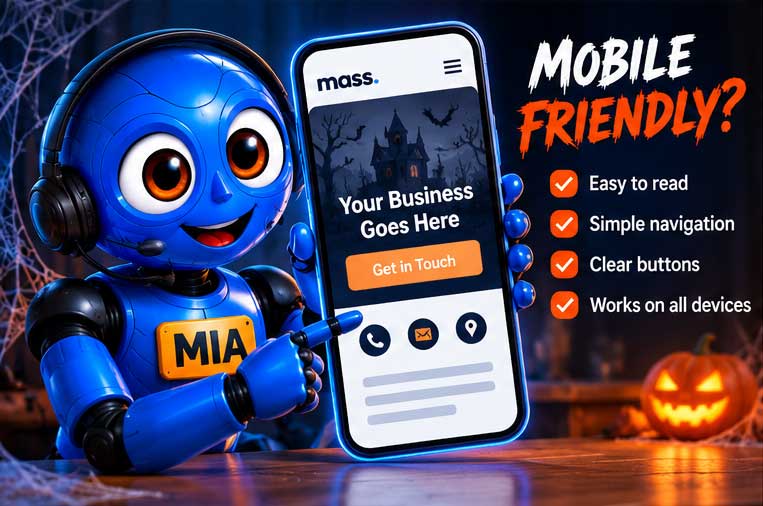
Take your phone out and open your website.
Now try to use it as if you’d never seen it before.
Can you easily read the text?
Can you navigate the menu?
Can you tap the buttons?
Can you complete the contact form?
Can you find your telephone number?
If the answer to any of those questions is no, you could be losing mobile visitors.
A website shouldn’t simply shrink to fit a smaller screen. It should be designed to provide a good experience across mobiles, tablets, laptops and desktops.
How to fix it
Make sure your website is responsive and test important pages on several screen sizes.
Pay particular attention to:
This is more common than you might think.
Some websites look fantastic but make visitors work far too hard to understand what the business actually offers.
When someone reaches your homepage, they should quickly understand:
If those answers aren’t obvious, your visitor may simply return to Google and try a competitor.
How to fix it
Use a clear headline at the top of your homepage that explains your main service and, where appropriate, your location.
Then support it with a short introduction and a strong call to action such as:
Clarity usually beats cleverness.
You’ve attracted someone to your website.
They’ve looked at your services.
They’re interested.
Now what?
If your website doesn’t clearly tell them what to do next, you’re making the customer journey unnecessarily difficult.
Don’t assume people will hunt for your contact page.
How to fix it
Use clear calls to action throughout your website.
Depending on your business, these could include:
Calls to action should appear naturally throughout important pages rather than only at the very bottom.
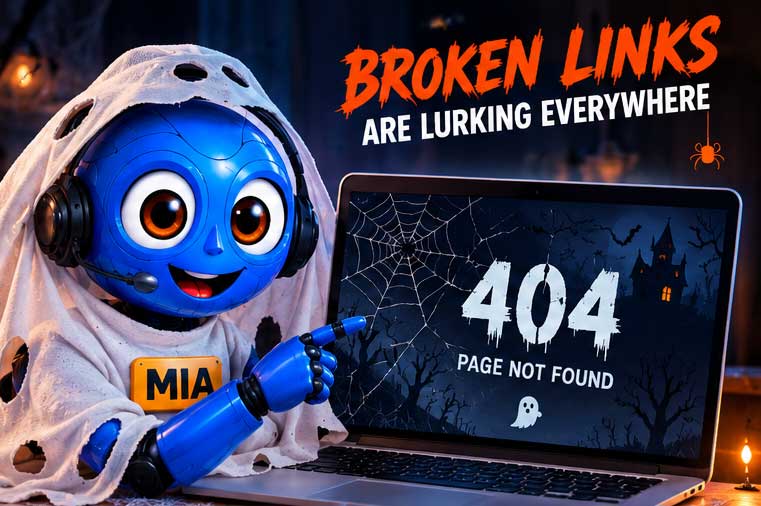
Few things make a website feel neglected faster than broken links.
A visitor clicks a service, product or contact link and suddenly lands on an error page.
Broken links can occur when:
How to fix it
Regularly check your website for broken internal and external links.
If you’ve changed an important URL, make sure the old address redirects visitors to the most relevant new page.
This is particularly important when redesigning or migrating an established website.
Here’s a genuinely scary thought:
What if customers are trying to contact you, but their messages aren’t reaching you?
Contact forms can stop working because of:
And unless you’re testing them, you might not realise there’s a problem.
How to fix it
Test your contact forms regularly.
Submit a genuine test enquiry and check that it arrives at the correct email address.
Don’t just rely on the “message sent successfully” notification on your website.
A successful-looking form doesn’t necessarily mean the email reached your inbox.
A potential customer has never met you.
Why should they trust you?
Your website needs to answer that question.
Trust signals can include:
If your competitors demonstrate experience and credibility while your website doesn’t, visitors may feel safer contacting them instead.
How to fix it
Bring your strongest trust signals onto your key pages.
Don’t hide all your reviews on a testimonial page that hardly anyone visits.
If you’ve got happy customers, show them.
A great-looking website isn’t much use if potential customers can’t find it.
Search Engine Optimisation, or SEO, helps search engines understand your website and connect your pages with relevant searches.
Poor SEO can mean you’re missing customers who are actively looking for exactly what you offer.
Common problems include:
How to fix it
Start by understanding what your potential customers are actually searching for.
Then create useful, well-structured pages around your core services and locations.
SEO shouldn’t be about stuffing keywords into every paragraph.
It should help Google and your customers clearly understand what you offer.
If you’re a local business, appearing for searches in the areas you serve can be incredibly valuable.
Someone searching for:
“web designer in Bexley”
is showing far stronger buying intent than someone simply searching:
“what is web design?”
Yet many businesses barely mention their location on their websites.
How to fix it
Make sure your website clearly communicates the areas you serve.
Depending on your business, this could involve creating useful location-specific pages for your most important areas.
You should also keep your Google Business Profile accurate and encourage genuine customers to leave reviews.
The aim isn’t to create hundreds of near-identical location pages.
Create genuinely useful local content that helps potential customers in the areas you want to target.

When was the last time you updated your website?
Last month?
Last year?
2019?
An abandoned website can contain:
It can also miss opportunities to target new searches and answer questions your customers are currently asking.
How to fix it
Treat your website as an active part of your business.
Regularly add:
You don’t need to change something every day.
Consistency is far more important.
Google isn’t the only place people search anymore.
Customers increasingly use AI-powered tools to research businesses, compare services and answer questions.
That means your online presence needs to be easy for both traditional search engines and AI-powered search experiences to understand.
There’s no magic button that guarantees ChatGPT, Google AI or another AI platform will recommend your business.
However, strong digital fundamentals can help make information about your business clearer and easier to discover.
How to fix it
Focus on:
Most importantly, create content for real customers rather than trying to trick an algorithm.
If someone asks a question related to your service, your website should aim to provide a genuinely useful answer.
This could be the scariest mistake of all.
A website isn’t something you should build and then forget about.
WordPress, themes, plugins and other website technologies change over time.
Without regular maintenance, problems can creep in unnoticed.
Website maintenance can include:
How to fix it
Have a regular maintenance process in place.
Whether that’s handled internally or by your web designer, somebody should be responsible for checking that your website remains secure, updated and working correctly.
Sometimes the problem isn’t getting people to your website.
It’s converting them once they arrive.
If you’re receiving website traffic but very few enquiries, investigate:
You may not need more traffic.
You might simply need to convert more of the traffic you already have.
A conversion-focused redesign can sometimes be more valuable than simply trying to double your visitor numbers.
Give your website a quick Halloween health check.
Ask yourself:
If you’ve spotted one or two problems, don’t be frightened.
Most website issues can be fixed.
The important thing is finding them before your potential customers do.

Why isn’t my business website generating enquiries?
There isn’t always one single cause. Common problems include attracting the wrong visitors, weak calls to action, an outdated design, poor mobile usability, slow loading speeds and a lack of trust signals.
Start by looking at both your website traffic and what visitors experience after arriving.
How often should I update my business website?
There’s no fixed rule, but important information should always be accurate. Regularly adding useful content, projects, case studies, reviews and business updates can also keep your website relevant.
How do I know if my website needs redesigning?
Warning signs include an outdated appearance, poor mobile performance, slow pages, difficult navigation and consistently low enquiry levels.
A redesign shouldn’t simply make your website look different. It should improve how effectively it supports your business.
Can SEO help my website generate more enquiries?
SEO can help attract people who are actively searching for your products or services.
However, traffic is only half the equation.
Your website also needs to convert those visitors into enquiries through strong content, trust signals, calls to action and a simple customer journey.
Does my website need regular maintenance?
Yes. Regular maintenance can help keep your website secure, backed up, updated and working correctly.
It also gives you an opportunity to identify problems such as broken links or failed contact forms before they cost you business.
Your website should be one of your hardest-working business assets.
It should help people discover your business, understand what you offer, trust your expertise and ultimately get in touch.
If it’s slow, outdated, difficult to use or invisible in search, it could quietly be sending potential customers elsewhere.
At Mass Web Design, we design, build and maintain professional websites for businesses that want more from their online presence.
From website redesigns and SEO to hosting, maintenance and ongoing support, we can help identify what’s holding your website back.
Get in touch with Mass Web Design for a free website review.
We’ll take a look at your website and identify opportunities to improve its design, performance, search visibility and ability to generate enquiries.
No tricks. Just practical advice to help your website deliver better results. 🎃
We would love to work with you on your next project or breathe new life into an existing one. Speak to our experts today!
Contact usTell us about your project and we’ll come back to you with the next steps and a free quote.
Tell us a little about what you need.